How to follow up on every pledge without a spreadsheet
Pledge season often comes with a spreadsheet. Who pledged. Who gave their first gift toward it. Who finished. Who has been giving to the campaign and never made a pledge. Someone on staff has to thank people, invite people, and check the list again next week.
That follow-up is worth doing. It is also the first thing that gets dropped when the week fills up.
We just added two things that take that work off your plate: a campaign progress card you can paste on your church’s website, and pledge follow-up that runs on its own.
A “Make a Pledge” card for your website
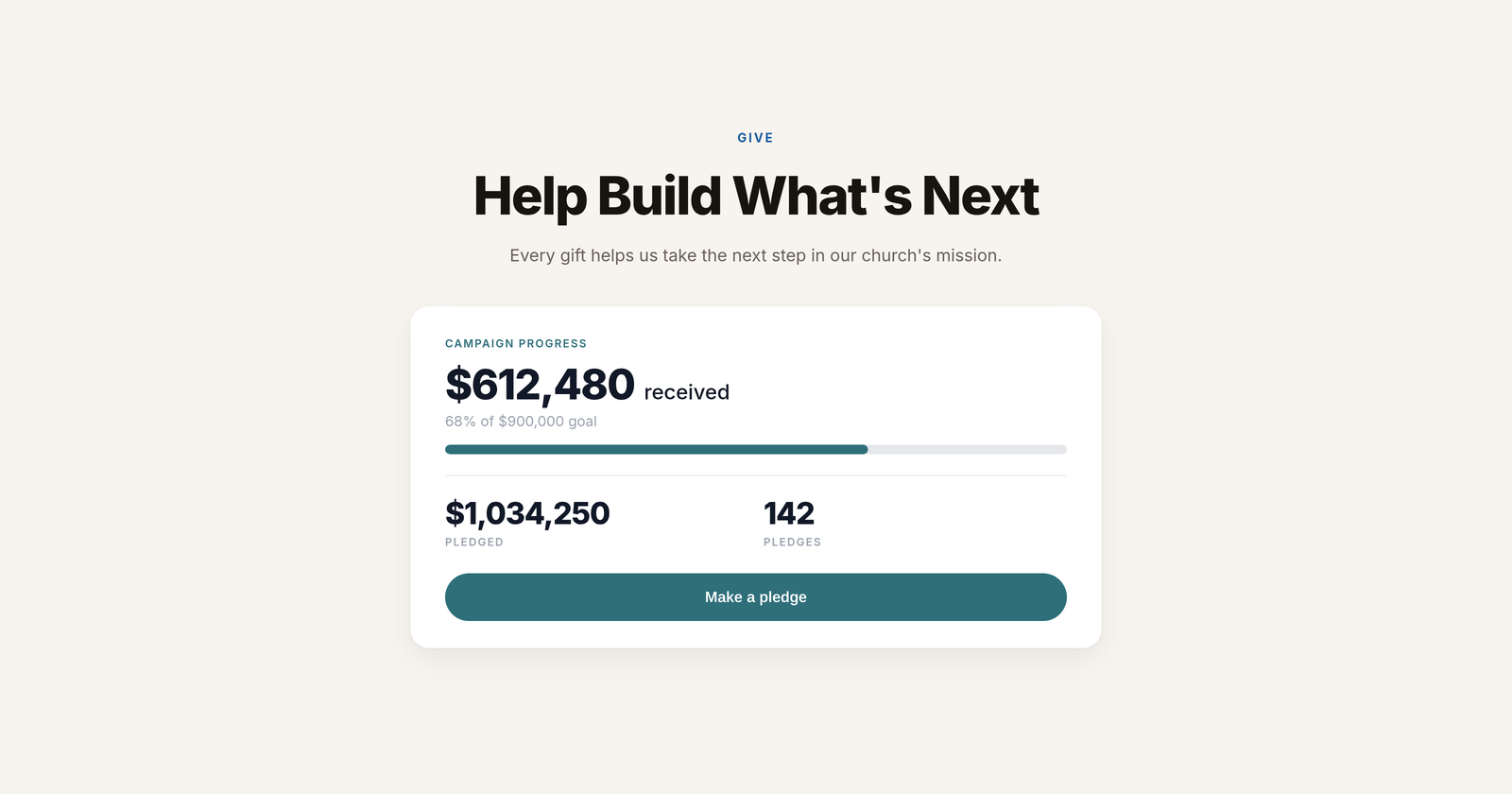
The new embed is a campaign progress card. It shows how much has been received, how close you are to the goal (with a progress bar), the total pledged, and the number of pledges. A “Make a pledge” button sits at the bottom.
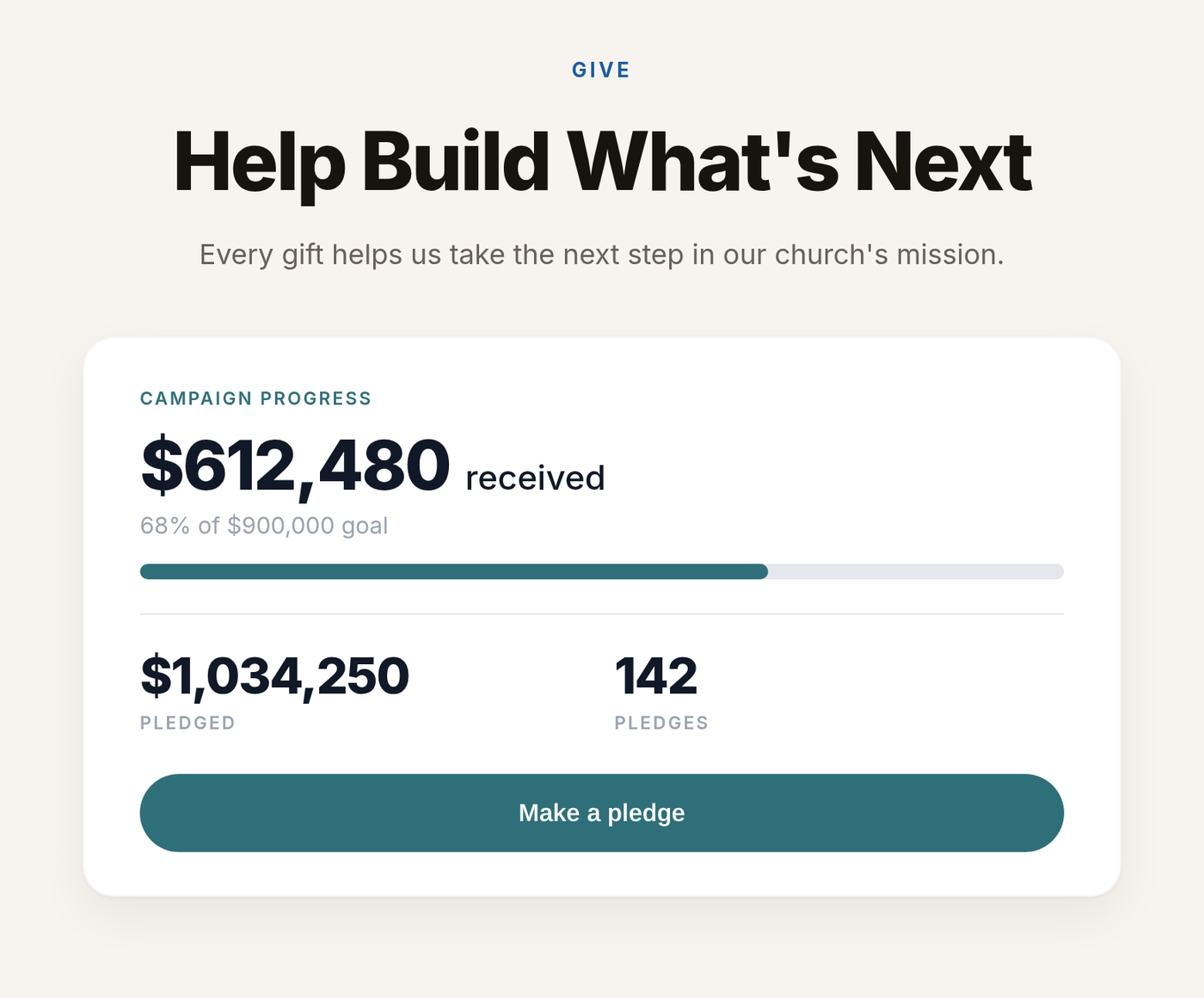
Paste the embed on your own website and people can pledge without leaving your page. Every pledge lands in GivFlow automatically, so your team does not have to re-type it into your giving platform. You will find the embed code in GivFlow under Campaigns, then Form.
The card is customizable, too. If you would rather not show a goal, turn it off. You can also change the button text to fit your campaign, like “Commit to the vision” instead of “Make a pledge.”
Pledge follow-up that runs by itself
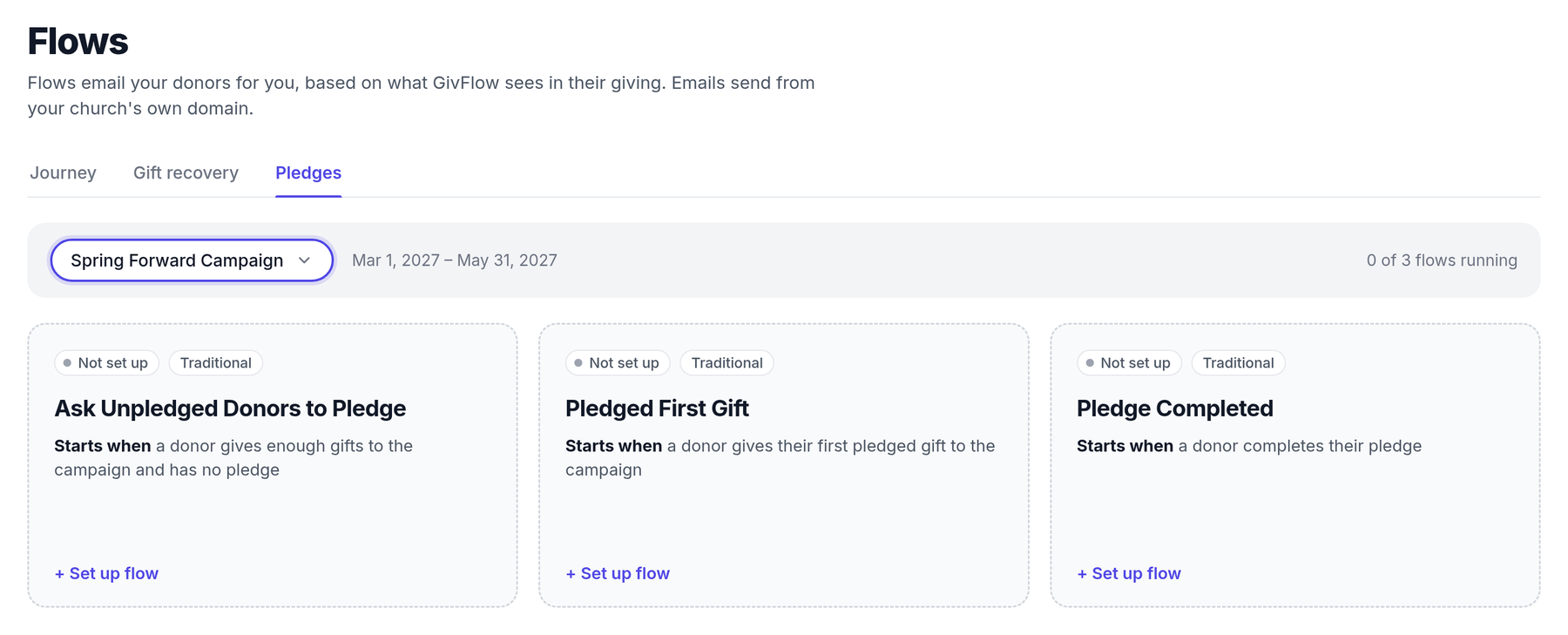
In GivFlow, go to Flows, then open the Pledges tab, and pick a campaign. You will see a card for each of these flows. Each card tells you when it starts, and has a “+ Set up flow” link.
These flows work for Traditional campaigns. GivFlow also supports One Fund campaigns.
Here is what they cover.
Ask Unpledged Donors to Pledge
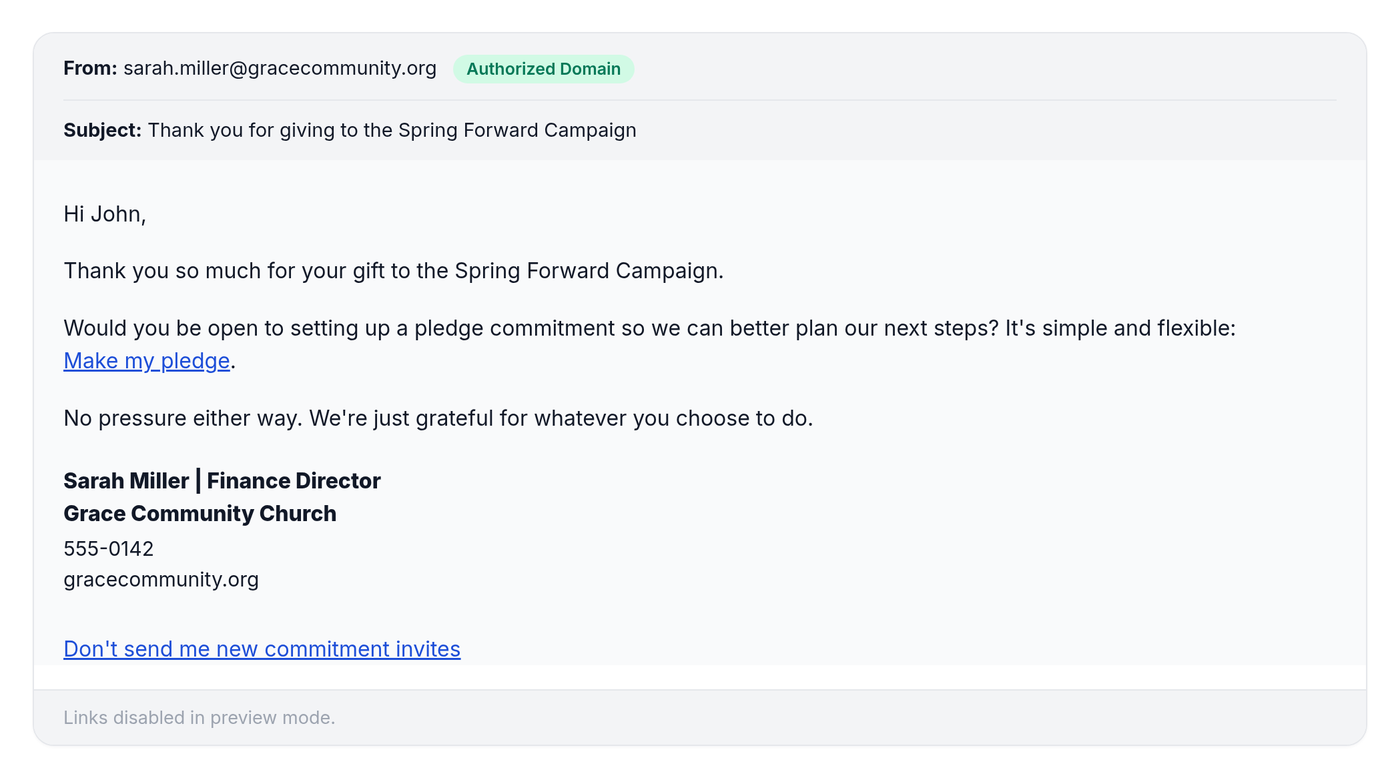
This starts when a donor has given enough gifts to the campaign and does not have a pledge. The email thanks them for giving, then asks a simple question: would they be open to setting up a pledge commitment? It is framed as simple and flexible, with a “Make my pledge” link, and it makes clear there is no pressure either way.
People who do not want more of these invites can click “Don’t send me new commitment invites.”
Pledged First Gift
This starts when a donor gives their first pledged gift to the campaign. They get a thank-you right away, so that first payment toward a commitment does not go unnoticed.
Pledge Completed
This starts when a donor finishes their pledge. They get a thank-you that celebrates it.
The emails still come from you
Every one of these emails sends from your church’s own domain, from a real staff member, with their signature. If a donor replies, the reply goes to that person. GivFlow handles the sending. Your team still has the conversation.
What careful follow-up can look like
First United Methodist Church in Murfreesboro used GivFlow in their pledge season and went from 212 pledges to 300, a 42% increase. Commitments went from $1,804,464 to $2,128,196.
If you already use GivFlow, you can find the embed code under Campaigns, then Form, and turn the pledge flows on under Flows, then the Pledges tab. For help getting set up, contact us and we will walk through it with you.
If you are not using GivFlow yet and want to see this for your next campaign, book a 30-minute walkthrough.