The One Email You Should Send to Your Consistent Givers Today
The One Email You Should Send to Your Consistent Givers Today
Every summer, churches brace for the inevitable “summer slump.” Families go on vacation, attendance drops, and giving often dips right along with it. It is a seasonal reality that can make budgeting and forecasting incredibly stressful for church leadership.
But there is a proven way to mitigate these seasonal downtrends: recurring giving.
When a donor sets up a recurring gift, their generosity is no longer tied to their physical presence in the building on a Sunday morning. The data backs this up. On average, recurring donors give 30 to 60 percent more dollars throughout the year simply because they give more consistently.
The challenge is that many of your most faithful givers have not set up a recurring gift yet. They give regularly—maybe every time they attend—but they are still doing it manually. They just need a gentle, pastoral invitation to automate their generosity.
In this post, we will show you exactly how to find those people in Planning Center and give you a simple email template you can send them today.
How to Find Consistent Givers in Planning Center
You can use Planning Center Lists to identify people who are giving regularly but have not set up a recurring schedule. The way you build this list depends on whether you are a GivFlow customer or not.
Option 1: For GivFlow Customers
If you use GivFlow, we automatically sync donor statuses (like New, Second, Active, and Lapsed) directly into Planning Center. This makes building the list incredibly simple.
- Open Planning Center People and navigate to the Lists tab.
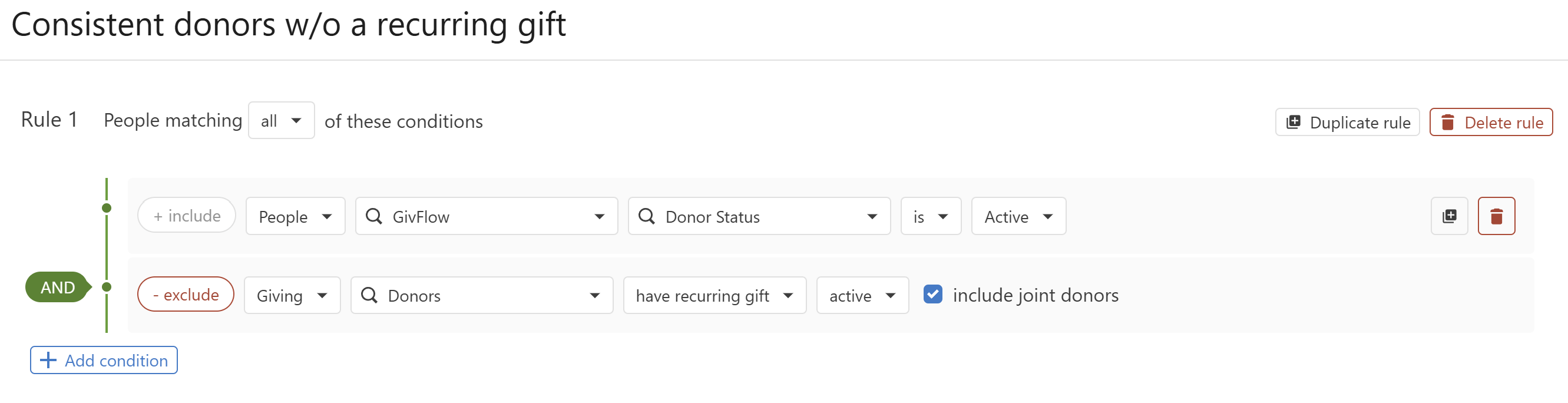
- Create a new list with Rule 1 set to include people matching all conditions.
- Add a condition: People > GivFlow > Donor Status is Active.
- Add an exclusion condition: Giving > Donors > have recurring gift > active (check “include joint donors”).
This instantly gives you a list of everyone who has given at least three times (the definition of “Active” in GivFlow) but has not automated their giving.
Option 2: For Non-GivFlow Customers
If you do not use GivFlow, you have to build a “guess” list based on recent giving history. It takes a few more steps, but it works.
- Open Planning Center People and navigate to the Lists tab.
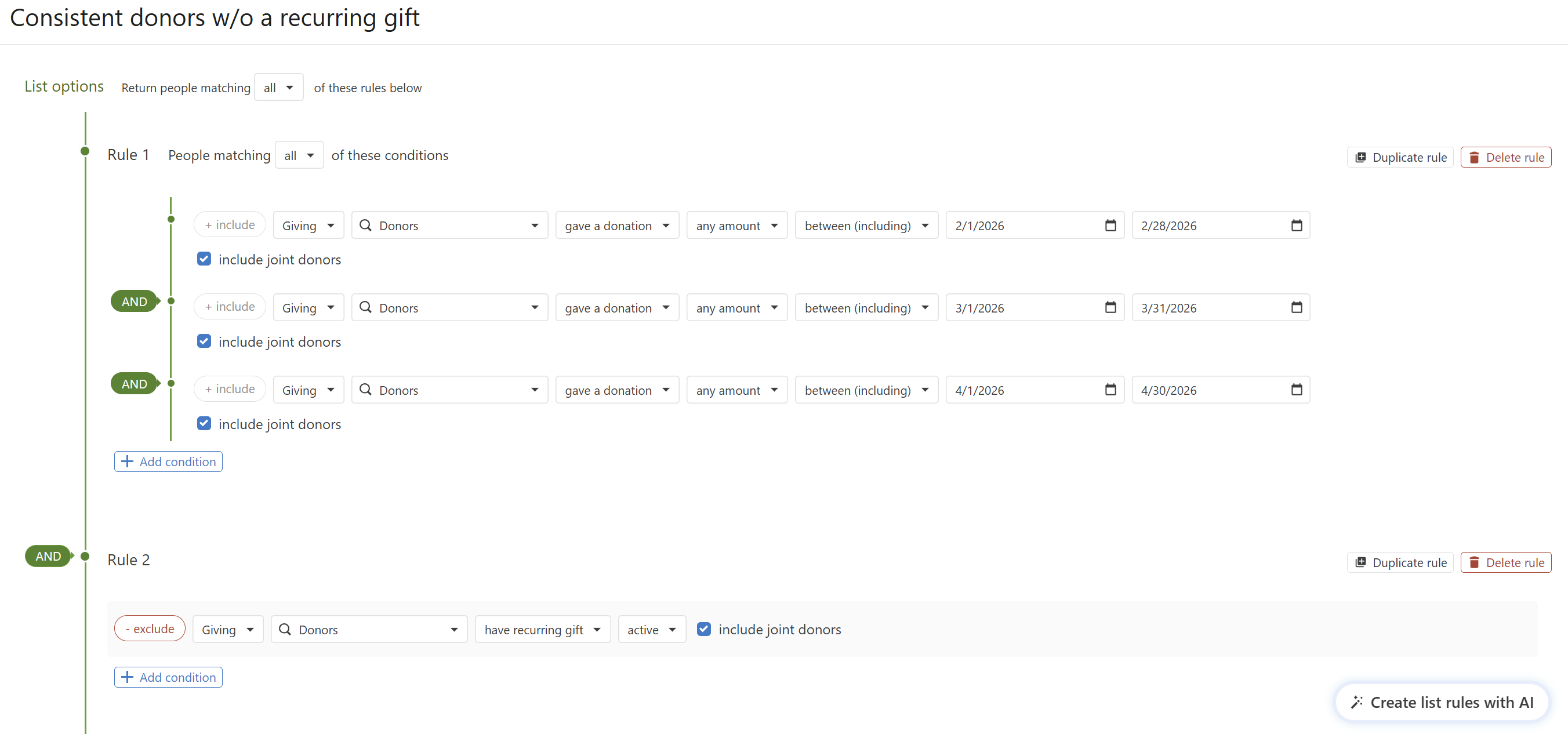
- Create a new list with Rule 1 set to include people matching all conditions.
- Add a condition: Giving > Donors > gave a donation > any amount > between (including) the dates for three months ago (e.g., 2/1/2026 to 2/28/2026). Check “include joint donors”.
- Add an AND condition for the next month (e.g., 3/1/2026 to 3/31/2026).
- Add another AND condition for the most recent month (e.g., 4/1/2026 to 4/30/2026).
- Create Rule 2 to exclude current recurring givers: exclude > Giving > Donors > have recurring gift > active (check “include joint donors”).
This list finds people who have given at least once in each of the last three months, serving as a solid proxy for consistent givers.
The Email Template
When reaching out to this group, the tone should be warm, appreciative, and brief. You are not asking them to give more money; you are simply asking them to change how they give the money they are already giving.
Here is a simple template you can use:
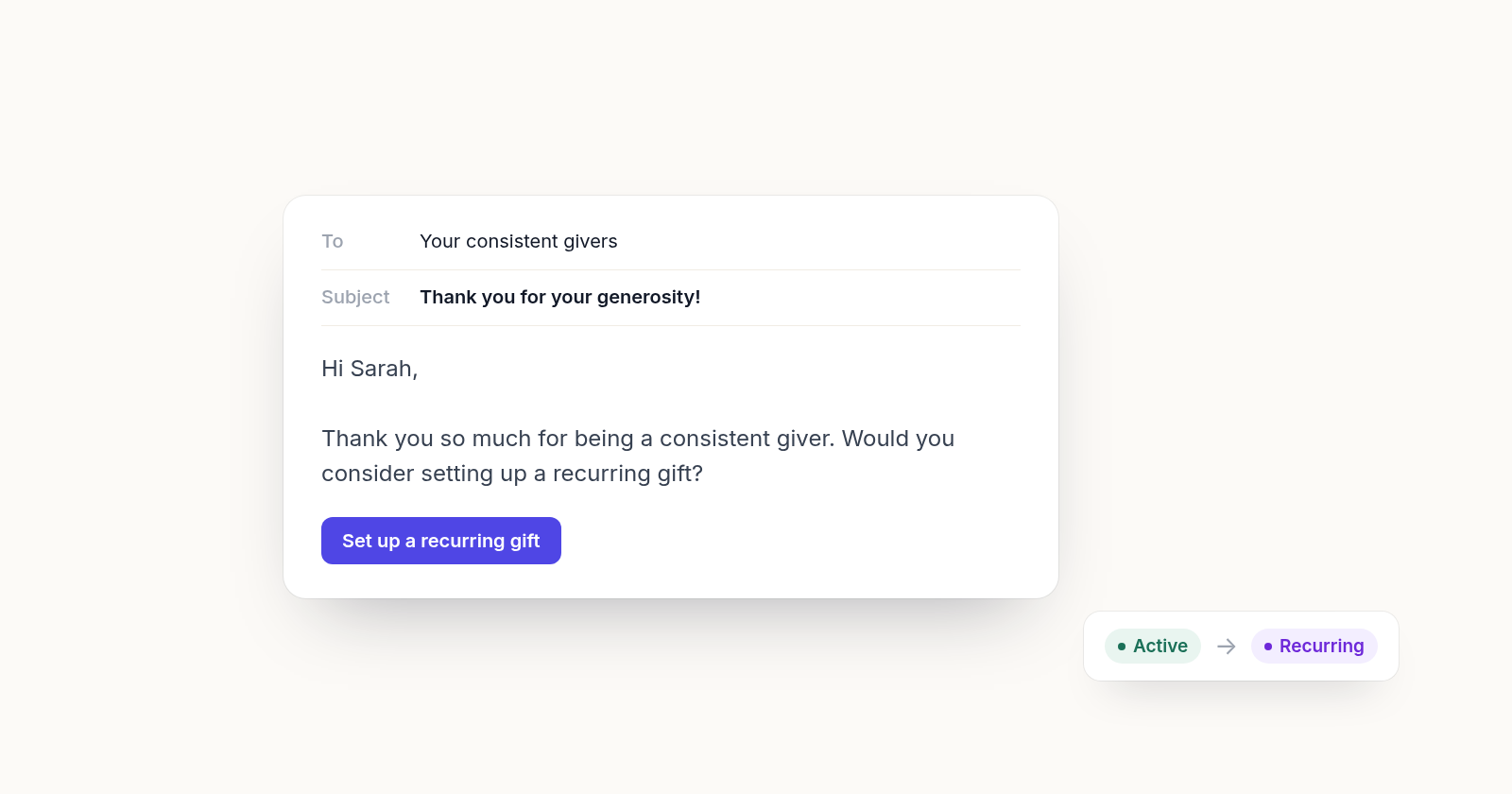
Subject: Thank you for your generosity!
Hi [First Name],
Thank you so much for being a consistent giver at [Church Name]! Your generosity makes a real difference in our ministry.
Would you consider setting up a recurring gift? It helps you be even more consistent in your giving, and it helps us plan and forecast better for the year ahead.
You can set up a recurring gift easily right here: [Link to your giving page]
Thank you again for your faithful support!
Best,
[Your Name/Title]
Automating the Process
If you are not a GivFlow customer, sending this email as a one-time blast to your Planning Center list is a fantastic first step. It will immediately help you convert manual givers into recurring donors and stabilize your summer giving. However, doing this manually means you have to remember to pull the list and send the email every few months.
If you are a GivFlow customer, we handle this for you automatically. When a donor hits “Active” status, GivFlow automatically checks to see if they have a recurring gift set up. If they do not, GivFlow triggers an automated invitation asking them to automate their giving.
If you are an existing GivFlow customer and want to do a mass outreach before turning on the automation, you can use the Planning Center list method above to catch everyone up, and then let GivFlow handle all new “Active” donors moving forward.
Building a healthy giving ministry does not have to be complicated. Sometimes, it is as simple as identifying your most faithful supporters and sending one thoughtful email.